Key Capabilities
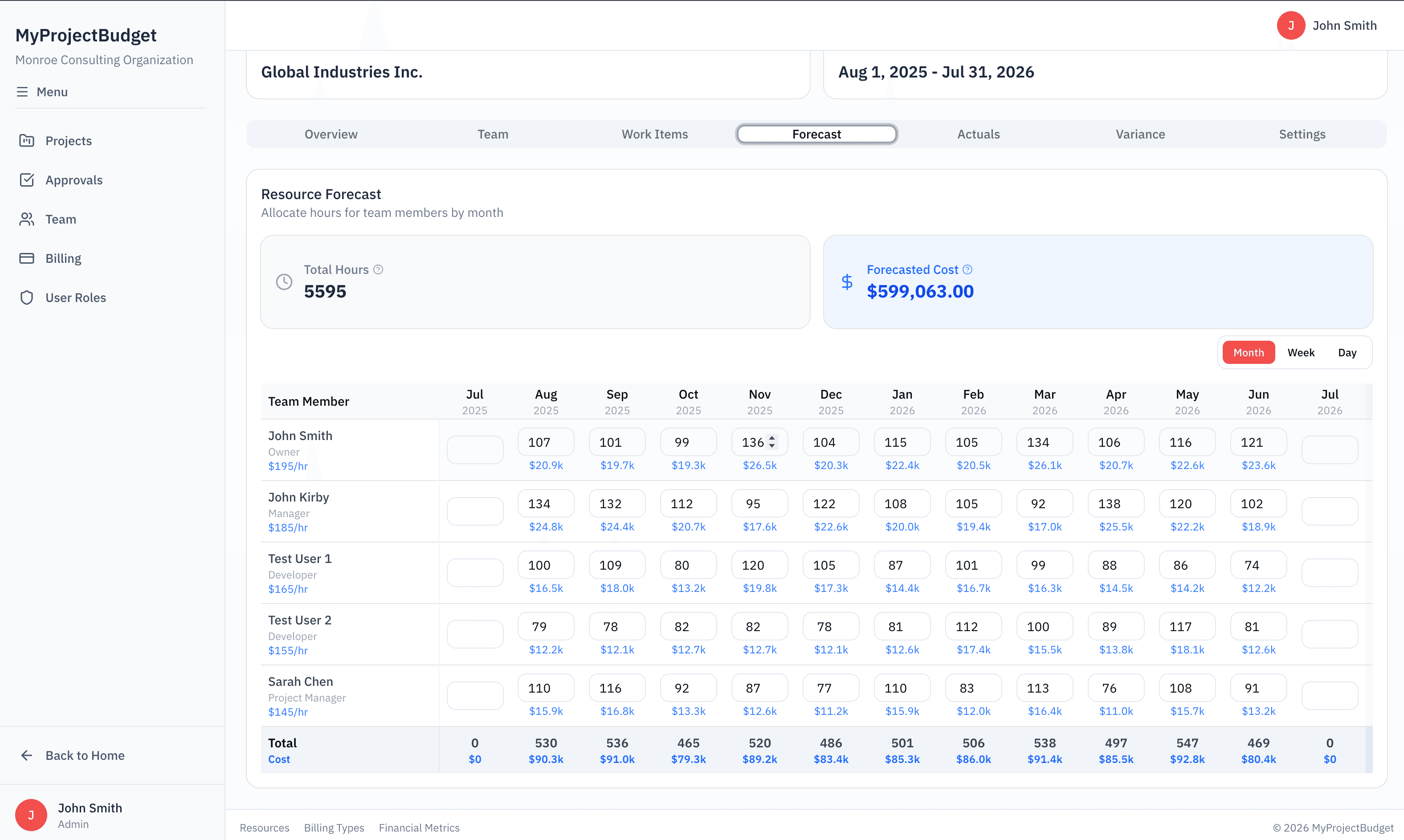
Monthly Planning Grid
Assign hours to team members by month with a simple, spreadsheet-like interface.
Baseline Snapshots
Lock in your original budget as a baseline, then track how forecasts change over time.
Forecast vs Actual
Compare what you planned against what actually happened, month by month.
Team Capacity View
See how much capacity each team member has across all their assigned projects.
See It In Action
Monthly forecasting grid showing planned hours by team member
When to Use Forecasting
Sprint or phase planning
At the start of each phase, forecast the hours needed from each team member for the coming weeks.
Quarterly capacity planning
Look ahead at team allocation across all projects to identify over or under-utilization.
Mid-project reforecast
When scope changes, update your forecast and see how it compares to the original baseline.
Related Features
Timesheets That Work
Clean weekly interface your team will actually use.
Variance Analysis
See who is over or under budget.
Team Utilization
Track billable utilization in real-time.